
Live Chat Overview
Plain’s Chat widget lets you embed a live chat interface on your website or app, allowing customers to reach out without leaving your product. You handle every message directly from Plain – right alongside your email, Slack, and other support channels.
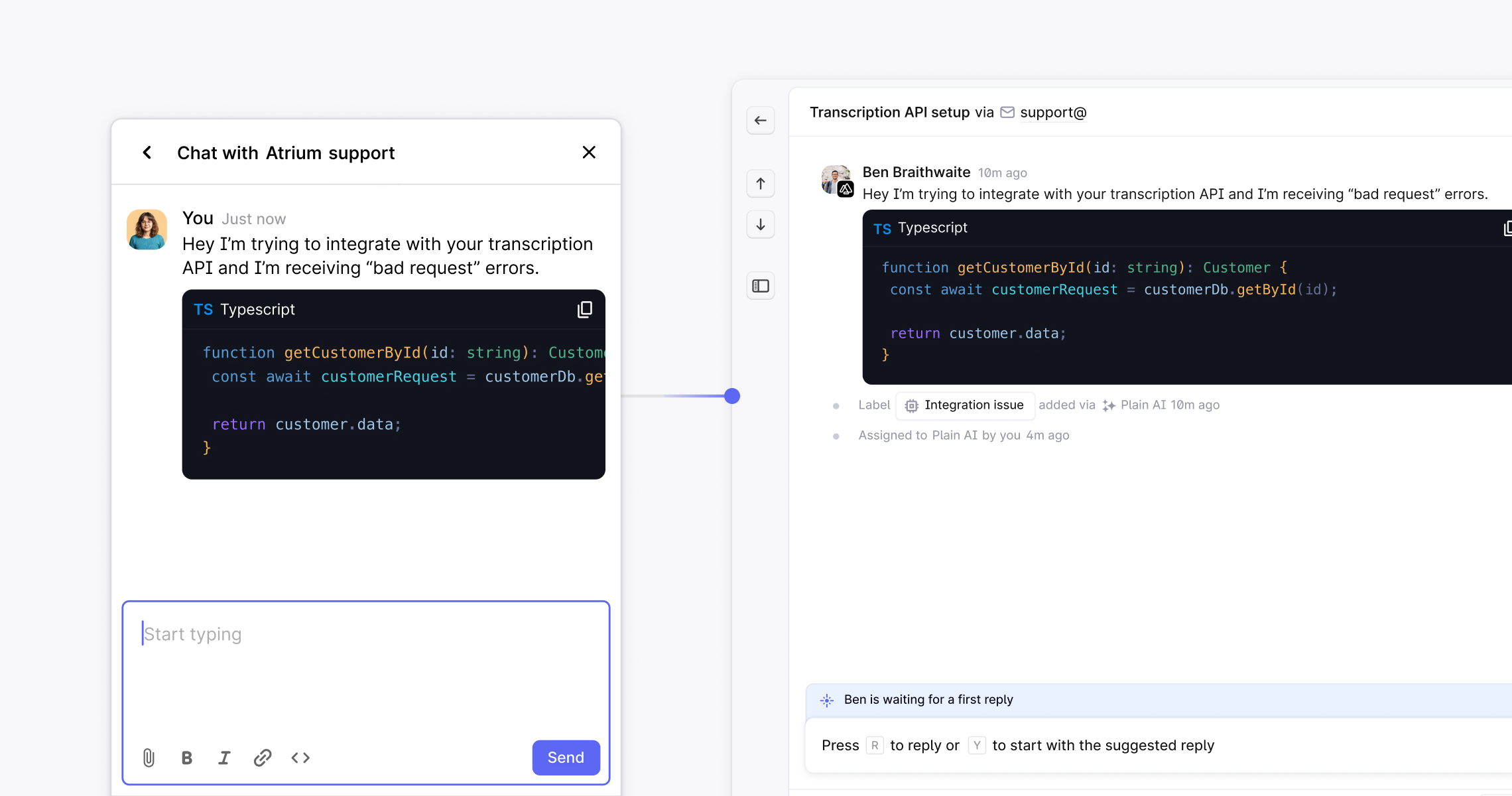
Live chat is one of the most effective ways for B2B teams to offer timely, high-quality support right where customers need it. Plain's live chat allows you to:
Support users in real-time, without requiring a separate inbox or flow
Consolidates chat into a singular queue, using the same prioritization and workflows as other channels
Stay in control of branding, placement, and experience
It combines the immediacy of chat with the structure and visibility of a modern support platform.
Overview
Our Chat widget lets you embed a live chat interface on your website or app, allowing your customers to reach out without leaving your site. You can then respond to these messages directly from Plain.
You and the customer can communicate in real-time and provide high fidelity support, including syntax highlighting and rich-text formatting.
Set up Chat
1. Create your Chat app
In Plain, navigate to Settings → Chat. Press Create a Chat App.
2. Add Chat to your webpage(s)
After creating your Chat app, you will be provided with a snippet of code that you can embed in your website or app. This will add the chat widget to your site. We recommend adding this to all pages of your site.
3. Customize your Chat experience
You can customize some aspects of the Chat widget by providing additional information to the Plain.init function. Learn more about customization here.
4. Add conditional auto-responses
Set up conditional auto-responses from Settings - Auto-responders. Set conditions based on Tier, label or business hours so you can let your customers know when they’ll receive a response.
5. Viewing Chats in Plain
Each new conversation in the Chat widget creates a new thread in Plain. You can view and respond to these threads in the Plain app.
Content Security Policy (CSP)
If you are using a Content Security Policy on your website, you will need to add the following to your CSP
Bashscript-src https://chat.cdn-plain.com;
connect-src https://chat.uk.plain.com https://prod-uk-services-attachm-attachmentsuploadbucket2-1l2e4906o2asm.s3.eu-west-2.amazonaws.com;
style-src https://fonts.googleapis.com;
img-src https://prod-uk-services-workspac-workspacefilespublicbuck-vs4gjqpqjkh6.s3.amazonaws.com https://prod-uk-services-attachm-attachmentsbucket28b3ccf-uwfssb4vt2us.s3.eu-west-2.amazonaws.com https://i0.wp.com;
The S3 bucket URLs are required for the chat widget to display the workspace logo, uploading and showing attachment files. All these S3 buckets are owned by Plain. Agent profile pictures are powered by Gravatar, hence the requirement for i0.wp.com